


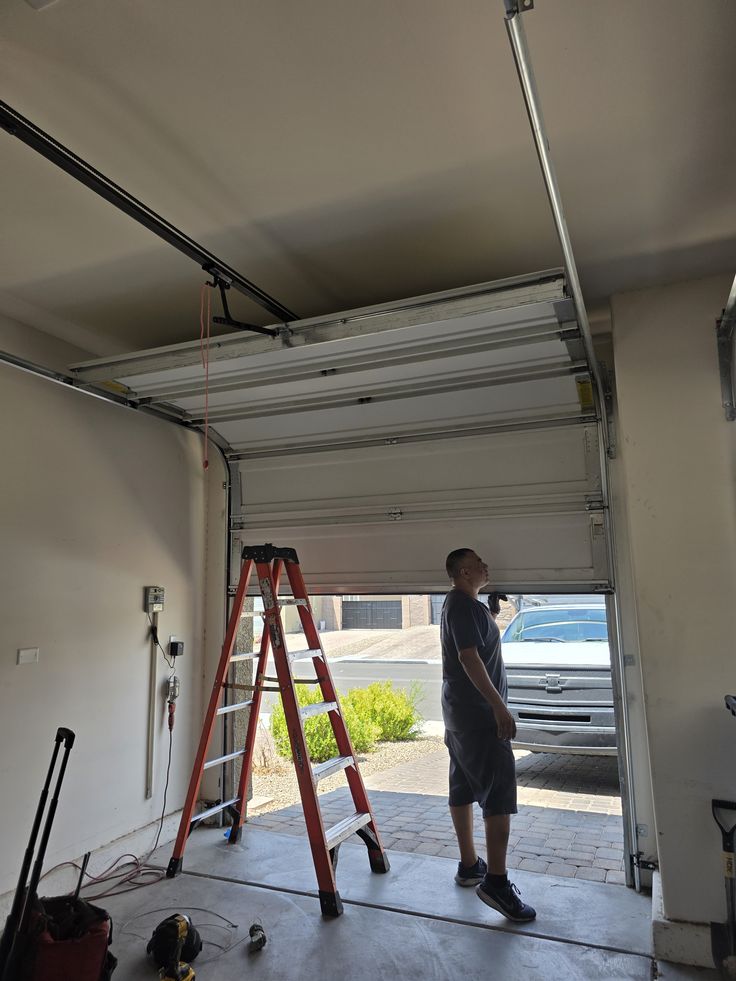
How to Install a Smart Hub for Remote Garage Door Access Control
Smart home technology has transformed the way homeowners manage and secure their properties, and garage doors are no exception. With a smart garage door hub, you can monitor, open, and close your garage door from virtually anywhere using a smartphone app. Whether you’re at work, on vacation, or simply relaxing inside your home, remote garage door access provides greater convenience, security, and peace of mind.
Installing a smart hub for garage door access control is often a straightforward upgrade that can add modern functionality to an existing garage door opener. This guide explains how smart garage door service Chandler AZ hubs work, what you need before installation, and the steps involved in setting up a reliable remote access system.
What Is a Smart Garage Door Hub?
A smart garage door hub is a device that connects your garage door opener to your home’s Wi-Fi network. Once connected, the hub communicates with a smartphone app, allowing you to control and monitor your garage door remotely.
Depending on the system, smart hubs may provide features such as:
- Remote opening and closing
- Real-time status monitoring
- Activity history logs
- Automatic closing schedules
- Guest access permissions
- Voice assistant integration
- Security alerts and notifications
Many smart hubs can upgrade older garage door openers without requiring complete replacement.
Benefits of Remote Garage Door Access
Installing a smart hub offers several practical advantages.
Improved Convenience
You can open or close the garage door from anywhere using your smartphone.
This is useful when:
- Family members need access
- Deliveries arrive
- Guests visit your home
- You forget whether the door was closed
Enhanced Security
Real-time notifications help you monitor garage activity and identify unauthorized access attempts.
Better Monitoring
Many systems allow you to check the garage door’s status instantly, reducing uncertainty when you’re away from home.
Smart Home Integration
Some hubs integrate with popular smart home platforms, allowing voice control and automation routines.
Check Garage Door Opener Compatibility
Before purchasing a smart hub, verify that it is compatible with your existing garage door opener.
Most manufacturers provide compatibility tools that help identify supported opener models.
Important information to gather includes:
- Garage door opener brand
- Model number
- Manufacturing year
- Type of wall control system
Compatibility is one of the most important factors for successful installation.
Tools and Materials Needed
Most smart hub installations require only a few basic items.
Common requirements include:
- Smart garage door hub kit
- Smartphone or tablet
- Wi-Fi connection
- Ladder
- Screwdriver
- Power outlet
- Mounting hardware (usually included)
Some systems may require additional sensors or adapters depending on the garage door opener model.
Understand the Components
A typical smart garage door hub system includes:
Smart Hub
The main communication device that connects to your Wi-Fi network.
Door Sensor
A sensor mounted on the garage door to detect open and closed positions.
Mobile App
The software used to control and monitor the system remotely.
Some systems may also include:
- Wireless repeaters
- Additional sensors
- Mounting brackets
Step 1: Download the Manufacturer’s App
Before physically installing the hardware, download the companion app for your smart hub.
Most apps are available through:
- Apple App Store
- Google Play Store
Create an account if required and review the setup instructions provided by the manufacturer.
Step 2: Choose a Hub Installation Location
The smart hub should be installed in a location that provides:
- Reliable Wi-Fi coverage
- Access to power
- Communication with the garage door opener
Many hubs are mounted on the ceiling near the opener motor.
Others may be installed on a nearby wall.
Avoid locations that may block wireless signals or expose the device to excessive moisture.
Step 3: Connect the Smart Hub to Power
Plug the hub into a nearby electrical outlet.
Once powered, the device typically enters setup mode automatically.
Indicator lights often signal:
- Power status
- Wi-Fi readiness
- Pairing mode
Consult the manufacturer’s instructions to confirm the meaning of specific light patterns.
Step 4: Connect the Hub to Your Wi-Fi Network
Using the mobile app, begin the Wi-Fi setup process.
Typical steps include:
- Open the app.
- Select “Add Device.”
- Follow on-screen instructions.
- Choose your home Wi-Fi network.
- Enter the Wi-Fi password.
- Wait for confirmation.
A stable internet connection is essential for reliable remote access.
Step 5: Pair the Hub with the Garage Door Opener
Once connected to Wi-Fi, the hub must communicate with the garage door opener.
Most systems use a process similar to programming a remote control.
Common steps include:
- Locate the opener’s Learn button.
- Press the Learn button.
- Activate pairing through the app.
- Wait for confirmation.
Successful pairing allows the hub to control door operation remotely.
Step 6: Install the Door Sensor
Most smart garage systems require a sensor that detects whether the door is open or closed.
Mounting the Sensor
The sensor is usually attached to the upper section of the garage door using:
- Adhesive strips
- Screws
- Mounting brackets
Follow the manufacturer’s placement recommendations carefully.
Verify Sensor Communication
After installation, check the app to ensure the sensor accurately reports the door’s position.
Proper sensor placement is essential for reliable monitoring.
Step 7: Test System Operation
Before relying on the system, thoroughly test all functions.
Verify:
- Door opens remotely
- Door closes remotely
- Status updates appear correctly
- Notifications are received
- Sensor readings are accurate
Conduct several test cycles to confirm consistent performance.
Configure Security Settings
Smart garage door hubs often include customizable security features.
Recommended settings include:
Enable Notifications
Receive alerts whenever the garage door:
- Opens
- Closes
- Remains open too long
Create User Permissions
Many systems allow multiple users.
You can grant access to:
- Family members
- Caregivers
- Trusted guests
Use Strong Passwords
Protect your account with a secure password and enable two-factor authentication when available.
Integrate with Smart Home Systems
Many modern hubs support integration with popular smart home platforms.
Potential integrations may include:
- Voice assistants
- Home automation routines
- Security systems
- Smart lighting
Examples of useful automations include:
- Automatically turning on garage lights when the door opens
- Sending alerts if the door remains open overnight
- Triggering security cameras during garage activity
Troubleshooting Common Issues
Weak Wi-Fi Signal
Poor signal strength can cause delayed responses or connection failures.
Solutions may include:
- Moving the hub
- Installing a Wi-Fi extender
- Upgrading network equipment
Sensor Not Responding
Verify:
- Battery condition
- Proper mounting
- Sensor alignment
Pairing Problems
If pairing fails:
- Restart the hub
- Reset the opener connection
- Repeat the setup process
Manufacturer support resources can often help resolve persistent issues.
Maintenance Tips for Long-Term Reliability
To keep your smart garage door system operating smoothly:
Check Sensor Batteries
Replace batteries as recommended by the manufacturer.
Update Firmware
Install software updates to improve security and functionality.
Test Notifications Regularly
Verify that alerts are functioning correctly.
Maintain the Garage Door System
A smart hub cannot compensate for mechanical issues.
Continue routine maintenance of:
- Springs
- Rollers
- Tracks
- Hinges
- Garage door opener
When to Consider Professional Installation
While many smart hubs are designed for DIY installation, professional assistance may be beneficial if:
- Compatibility issues arise
- Wi-Fi coverage is limited
- The garage door opener is older
- Electrical modifications are required
- Smart home integration is complex
Professional installers can ensure optimal performance and system reliability.
Final Thoughts
Installing a smart hub for remote garage door access control is an effective way to modernize your garage and improve both convenience and security. With remote monitoring, smartphone control, activity alerts, and smart home integration, these systems offer valuable functionality for today’s connected households.
By selecting a compatible hub, following proper installation procedures, and configuring security settings carefully, homeowners can enjoy reliable remote access and greater peace of mind wherever they are. A smart garage door hub is a practical upgrade that brings everyday convenience and enhanced control to one of the most frequently used entrances in the home.
